
Download Direct Message for WhatsApp™ – Browser Extensions, WhatsApp, Messaging, Privacy, Communication, Direct Messaging, Contactless Messaging, Secure Messaging, Instant Messaging, Messaging Tools
Overview
Direct Message for WhatsApp™ is a desktop utility designed to simplify the process of sending WhatsApp messages without the need to save a contact. The software enables users to initiate a conversation by simply entering a phone number and typing a message, then sending it directly through WhatsApp. This eliminates the clutter of temporary or unnecessary contacts in a user’s phone book, making it ideal for those who frequently send one-off messages to individuals they don’t wish to permanently add.
The tool is particularly useful in professional and personal scenarios where privacy and efficiency are key—such as sending quick updates, sharing documents, or forwarding photos to oneself for mobile access. It also supports direct access to the WhatsApp application, streamlining the workflow for users who rely on WhatsApp as a primary communication channel. The software operates as a browser extension, integrating seamlessly into the user’s existing digital environment.
Developed by Direct Message for WhatsApp™, the tool is positioned as a third-party solution not affiliated with WhatsApp Inc. While the developer is not detailed further, the product’s purpose is clear: to provide a clean, fast, and contactless messaging experience. The software is intended for individuals seeking to maintain a minimalist contact list while still leveraging WhatsApp’s full functionality.
Key Features & Capabilities
- Contactless Messaging: Send WhatsApp messages without saving a contact. Enter a number and message, then send—no permanent addition to your phone book.
- Direct WhatsApp Launch: Instantly open the WhatsApp application from the extension, reducing steps between message creation and delivery.
- Self-Message Functionality: Send messages to your own number to transfer files, photos, or documents to your mobile device quickly.
- Privacy-Focused Design: Minimizes digital footprint by avoiding contact creation, ideal for users concerned about data clutter or privacy.
- Time-Saving Workflow: Eliminates the need to navigate contact lists or create temporary entries, accelerating message delivery.
These features are especially beneficial for users who manage multiple communication channels, professionals who need to send quick updates, or individuals who frequently back up files across devices. For example, a user can send a document to themselves by typing their own number, ensuring instant access on their mobile phone. The tool supports both text and media, enabling versatile use cases beyond simple text messaging.
User Interface, Workflow & Performance
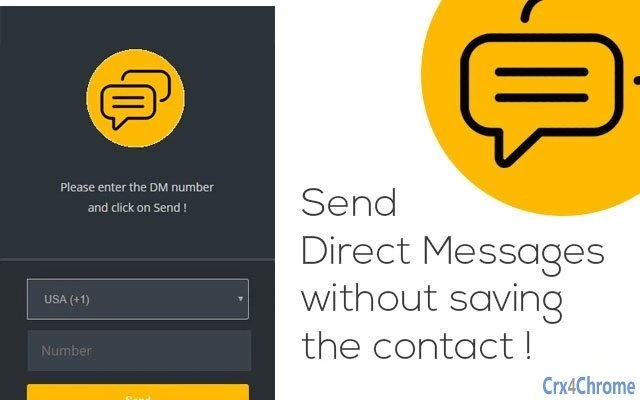
The user interface is designed for simplicity and speed. The extension presents a minimal input form with fields for the phone number and message content, along with a single “Send” button. Navigation is intuitive, requiring no learning curve for users familiar with basic messaging platforms. The workflow is linear: input number → type message → click send → WhatsApp launches or message is delivered.
Performance is optimized for quick execution. The extension triggers WhatsApp without delays, and the message is processed immediately upon submission. The developer did not specify resource usage details, but based on its small size and lightweight nature, it is expected to consume minimal system resources. Stability appears consistent with standard browser extensions, though no formal testing data was provided.
Since the software functions as a browser extension, its behavior is dependent on the host browser and underlying WhatsApp installation. No reported crashes or compatibility issues were noted in the available information. Users can expect smooth operation across typical desktop environments, particularly when WhatsApp is properly configured on the system.
Compatibility & System Requirements
Direct Message for WhatsApp™ is compatible with both Windows and Mac operating systems. The software is available as a browser extension, meaning it integrates with major web browsers such as Chrome, Firefox, or Edge. The installation size is 2.5 MB, indicating a lightweight footprint that will not strain system storage.
Exact system requirements were not listed. The developer did not provide information on minimum CPU, RAM, or disk space specifications. Compatibility with older versions of Windows or macOS is not confirmed. Platform compatibility information is limited to the supported operating systems, with no additional details on hardware or software prerequisites.
Users should ensure that WhatsApp is installed and properly configured on their device prior to using the extension. The software relies on the presence of the WhatsApp application to function, and its performance may vary depending on the system’s overall configuration and background processes.
Pros and Cons
Pros
- No need to save contacts—ideal for one-time or temporary messages.
- Fast and efficient workflow for sending messages directly from the desktop.
- Supports sending media to oneself for mobile access and backup.
- Small file size (2.5 MB) ensures minimal storage impact.
- Enhances privacy by keeping the phone book clean and free of ghost contacts.
Cons
- No official documentation on system requirements or compatibility with older OS versions.
- Dependent on WhatsApp being installed and running on the system.
- Functionality limited to WhatsApp only—no support for other messaging platforms.
- Browser extension model may require manual updates or permission management.
- Exact performance impact on CPU or RAM usage was not specified.
FAQ Section
Is Direct Message for WhatsApp™ compatible with all versions of Windows and Mac?
The software is compatible with Windows and Mac operating systems, but specific version compatibility was not provided by the developer.
Is the software safe to use with my WhatsApp account?
Direct Message for WhatsApp™ is a third-party extension and does not store or access your WhatsApp data. It functions by triggering WhatsApp through standard system integrations.
Do I need to install WhatsApp separately?
Yes, WhatsApp must be installed and properly configured on your device for the extension to function.
Can I use this tool to send messages to multiple contacts at once?
The tool is designed for one-on-one messaging. There is no built-in support for bulk messaging or group sends.
Is the software free to download and use?
Yes, the software is available for free. No payment is required for access to its core features.
Final Thoughts + CTA
Direct Message for WhatsApp™ delivers a focused and effective solution for users who want to send WhatsApp messages without cluttering their contact list. Its minimalist design, speed, and privacy benefits make it a valuable tool for both personal and professional use. The ability to send messages to oneself for file transfer adds practical value, turning it into a simple yet powerful backup method.
While system requirements and performance metrics are not fully disclosed, the tool’s lightweight nature and seamless integration with existing workflows suggest reliable performance. For users seeking a secure, contactless messaging option, this software stands out in the productivity space.
Download Direct Message for WhatsApp™ now







